How do I show
my work?
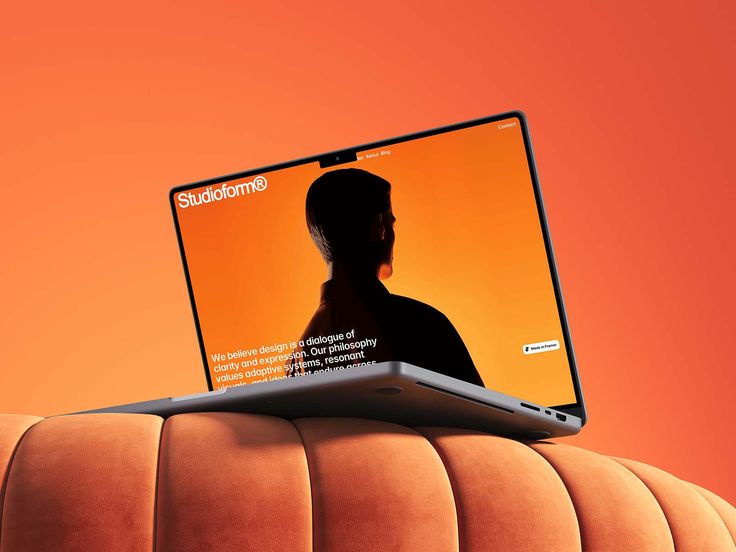
Visual inspiration · uiuxrusty
+ ANIMATED 3D MOCKUPS
Your projects.
A studio-quality look.
Give your designs presence with an animated 3D mockup pack made for showcasing your projects.
- Putting designs in context
- Framing
- Final presentation
€49.99One-time purchase
Explore the content
Presentation pack For designers
The project is ready.
Its presentation
can go further.
An interface on its own doesn’t tell the whole story. Staging provides context and helps people appreciate your work.
An unclear starting point.
You know what you want to improve, but not always where to start.
Too many directions at once.
Inspiration keeps piling up, but there’s no clear thread.
A project on hold.
Give your work a concrete next step.
The same project.
A clearer intention.
A good presentation helps people understand the quality of your work. Put your interfaces in context, create a consistent look and prepare visuals for your portfolio or social channels.
The project is there. The next step is still unclear.
Where do I
start?
Move this
project forward.
A METHOD. YOUR WORLD.
A clear direction.
Your own way of creating.
Explore these presentation examples. They illustrate the approach and are not excerpts from the final product.
THE NEXT STEP
Create.
Show.
Grow.
BEHIND THE PROJECT
Your choices.
Your intention.
Here’s how I turned [my idea] into [my project].
Present one specific choice, then show how it serves your project.
- Set the context.What problem were you trying to solve?
- Show your intention.Which design choice makes the difference?
- Reveal the result.Show the detail that best expresses your work.
- Start a conversation.Invite other designers to share their perspective.
YOUR NEXT PROJECTThree steps.
Three steps.
A project moving forward.
A reflection exercise to apply this approach to your own work.
Download the exercise01
Choose your project.
Give your interfaces context.
02
Compose the scene.
Choose what deserves to be shown.
03
Show the details.
Prepare to showcase your project.
Interactive presentation examples.
From an idea
to a presentation.
Move forward with a clear intention at every step.
- 1
Choose your project.
Give your interfaces context.
- 2
Compose the scene.
Choose what deserves to be shown.
- 3
Show the details.
Prepare to showcase your project.
THE LEARNING PATH IN DETAIL
The bigger picture.
Concrete steps.
Topics to explore with Animated 3D Mockups.
GET STARTED
Putting designs in context
Give your interfaces context.
Presentation packComposition
Put your work at the center of the image.
Presentation packLEARN
Framing
Choose what deserves to be shown.
Presentation packMotion
Guide the eye through the presentation.
Presentation packVisual consistency
Make every visual an extension of your creative world.
Presentation packFinal presentation
Prepare to showcase your project.
Presentation packEvery step serves your project.
Every choice reveals your intention.
For designers
who want to grow.
For web designers who want to refine how they showcase their projects.
The web designer
Create a framework to move your practice forward.
The freelance designer
Develop a presentation that fits your visual world.
The independent studio
Make your design choices more visible and easier to understand.
A project.
A resource.
Your next step.
A good presentation helps people understand the quality of your work. Put your interfaces in context, create a consistent look and prepare visuals for your portfolio or social channels.
Digital pack · Individual purchase
Presentation pack
Animated 3D Mockups
- Putting designs in context
- Composition
- Framing
- Motion
- Visual consistency
- Final presentation
€49.99One-time purchase
The number of mockups, file formats, compatible software and license will be specified before purchase.
Who are Animated 3D Mockups for?
For web designers who want to refine how they showcase their projects.
What will I find inside?
Give your designs presence with an animated 3D mockup pack made for showcasing your projects. Putting designs in context, composition, framing, motion, visual consistency and final presentation.
What tools will I need?
The number of mockups, file formats, compatible software and license will be specified before purchase.
Is this the free community?
This resource is offered separately from the free community. You can explore the community to share ideas and take on challenges.
What does it cost?
The number of mockups, file formats, compatible software and license will be specified before purchase.
Can I explore before deciding?
Yes. The gallery, comparison and tabs introduce the approach. The interactive examples on this page are not the final product files.
YOUR NEXT PROJECT IS WAITING
Take your work further.
Show what makes you different.
You bring the ideas.
Give them a direction.